- Dlega Online, tu agencia de Marketing Online
- 620 967 174 - 910 566 938
- hello[arroba]Dlegaonline.com
-
Síguenos en
-
 XSíguenos en X para estar a la última en Marketing Online.
 - FacebookEn Facebook encontrarás noticias y consejos para sacar el máximo partido a esta popular red social.
- LinkedInNuestra red Linkedin es un gran lugar para conocer a los mejores profesionales gurús e influencers de nuestro sector.
- Instagram
- PinterestEn nuestro Pinterest compartimos las mejores infografías sobre las últimas tendencias en SEO y Social Media.
-
 Menu ≡ ╳
 - Servicios
- Websites Diseño y Desarrollo de Soluciones Web
- Marketing Online Cómo podemos ayudarte a conseguir más ventas
- Analítica Mejoramos los resultados de tu inversión en Marketing
- Todos tus Servicios Online Tenemos la estrategia, experiencia e historial probado en la captación de clientes potenciales para tu negocio
- Kit Digital
- Proyectos
- Quiénes Somos
- Blog
- Contacto
- ANÁLISIS SEO GRATIS
¿Cómo saber cuántas personas visitan tu web? Guía práctica para seguir el tráfico de un sitio web
- 11 de junio de 2025
- Redacción Dlega Online
- Analítica, Online Marketing
Para cualquier PyMe o pequeño negocio que tenga presencia online, el tráfico de un sitio web es uno de los indicadores más importantes del rendimiento digital. Saber cuántas personas te visitan, desde dónde lo hacen, cuánto tiempo permanecen en tu página o qué contenido prefieren, es clave para mejorar tu estrategia de marketing, aumentar conversiones y tomar mejores decisiones.
En este artículo, te explicamos cómo llevar un seguimiento eficaz del tráfico de un sitio web, qué herramientas puedes usar, cómo interpretar los datos y cómo sacar el máximo partido a esta información para hacer crecer tu negocio online.
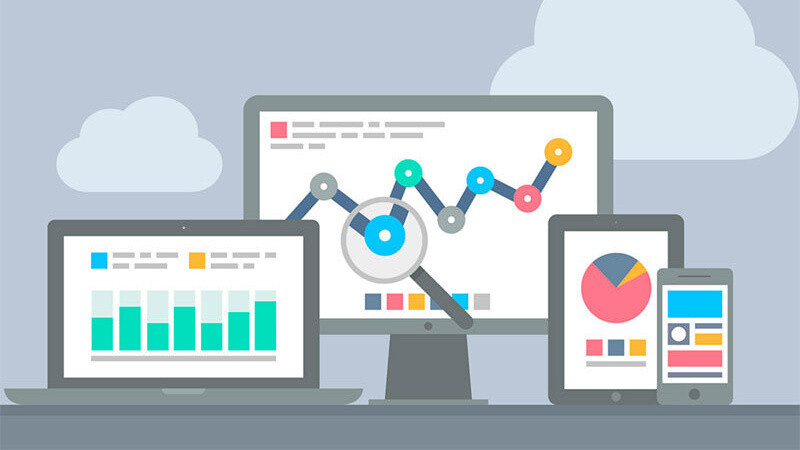
¿Qué es el tráfico de un sitio web y por qué es importante?
El tráfico web se refiere al número de visitantes que acceden a tu sitio y al comportamiento que tienen dentro de él. Este tráfico puede proceder de diferentes fuentes: motores de búsqueda como Google, redes sociales, campañas publicitarias, enlaces en otros sitios o acceso directo.
Medir y entender este tráfico te permite:
- - Evaluar la efectividad de tus campañas de marketing.
- - Detectar qué contenido funciona mejor.
- - Identificar problemas de navegación o páginas con poco rendimiento.
- - Tomar decisiones basadas en datos reales.
En definitiva, monitorizar el tráfico de un sitio web te da una visión clara de lo que ocurre en tu negocio digital.
¿Qué herramientas puedes usar para medir el tráfico de tu web?
Existen varias herramientas útiles y muchas de ellas son gratuitas. Las más populares son:
1. Google Analytics (GA4)
Es la herramienta más utilizada del mundo para analizar el comportamiento de los usuarios en un sitio web. Con GA4 puedes:
- - Ver el número de usuarios diarios y mensuales.
- - Analizar la procedencia del tráfico (orgánico, redes sociales, campañas, etc.).
- - Estudiar el comportamiento de los usuarios (tiempo en página, clics, conversiones).
- - Crear informes personalizados.
Google Analytics es gratuita, pero su interfaz puede parecer compleja al principio. Por suerte, hay muchos recursos para aprender a utilizarla. Te recomendamos esta guía oficial de Google para empezar.
2. Google Search Console
Complementa a Google Analytics proporcionando información sobre cómo aparece tu sitio en los resultados de búsqueda de Google. Puedes ver:
- - Cuántas veces se muestra tu sitio en Google (impresiones).
- - Cuántos clics recibe.
- - Qué palabras clave están atrayendo tráfico.
- - Si hay problemas de indexación o usabilidad.
3. Otras herramientas interesantes
- - Matomo: una alternativa a GA4 con más privacidad.
- - Hotjar o Microsoft Clarity: permiten ver mapas de calor y grabaciones del comportamiento de los usuarios.
- - Ahrefs o SEMrush: útiles para ver el tráfico estimado de sitios web (propios o de la competencia), aunque son de pago.
¿Qué métricas deberías seguir?
No se trata solo de ver cuántas personas visitan tu web. Lo importante es entender qué hacen los usuarios y cómo puedes mejorar su experiencia. Algunas métricas clave son:
- - Sesiones: número de visitas (un mismo usuario puede generar varias sesiones).
- - Usuarios únicos: cuántas personas distintas te han visitado.
- - Páginas por sesión: cuántas páginas ve cada usuario en promedio.
- - Tasa de rebote: porcentaje de usuarios que abandonan tu web tras ver una sola página.
- - Duración media de la sesión: cuánto tiempo pasan en tu sitio.
- - Conversión: si han completado una acción deseada (formulario, compra, clic, etc.).
Estas métricas te permitirán detectar qué partes de tu web están funcionando bien y cuáles necesitan mejoras.
Cómo interpretar los datos y aplicar mejoras
Medir sin analizar no sirve de mucho. Por eso, lo importante es interpretar los datos y convertirlos en decisiones. Aquí van algunos ejemplos prácticos:
- - Si ves que tu tasa de rebote es alta, revisa si tus páginas están tardando en cargar o si el contenido no responde a las expectativas del usuario.
- - Si detectas que ciertos artículos del blog atraen muchas visitas, potencia ese tipo de contenido.
- - Si una landing page tiene muchas visitas pero pocas conversiones, quizá debas mejorar el texto, las llamadas a la acción o la usabilidad.
En este post de nuestro blog te damos más pistas sobre cómo mejorar la experiencia del usuario:
¿Cómo mejorar la tasa de conversión de tu web?
¿Con qué frecuencia deberías revisar el tráfico de tu sitio web?
No necesitas mirar los datos cada hora, pero sí es recomendable hacerlo con regularidad. Estas son buenas prácticas:
- - Cada semana: para hacer seguimiento básico de visitas, fuentes de tráfico y páginas vistas.
- - Cada mes: para analizar tendencias, comparar periodos y evaluar el impacto de acciones de marketing.
- - Cada trimestre: para tomar decisiones estratégicas más amplias y ajustar tus objetivos de negocio.
Si además haces campañas puntuales (por ejemplo, promociones, lanzamientos, etc.), es importante revisar los datos justo antes, durante y después de la campaña.
Conclusión: mide, analiza y actúa para mejorar el tráfico de un sitio web
Llevar un buen seguimiento del tráfico de un sitio web es esencial para cualquier negocio que quiera crecer en internet. Las herramientas gratuitas como Google Analytics o Search Console te proporcionan una gran cantidad de información útil, pero lo más importante es saber qué mirar y cómo actuar en consecuencia.
Ya sea para mejorar tu SEO, optimizar tu contenido o aumentar tus conversiones, conocer a fondo el comportamiento de tus usuarios es una ventaja competitiva. Así podrás tomar decisiones basadas en datos, no en suposiciones.
Dlega Online es la agencia que te ofrece las ideas y las técnicas online más eficaces para impulsar tu negocio en Internet.
Acerca de Dlega Online y este Blog
Somos una agencia de servicios plenos que ofrece soluciones de Marketing Online convincentes. Nuestras soluciones de éxito y la experiencia que te ofrecemos, te ayudarán sin duda, a obtener grandes resultados.
Posts recientes
- Consejos para la creación de contenido SEO con IA 16 de septiembre de 2026
- WordPress 7.0: descubre las novedades que transformarán la gestión de tu web 24 de junio de 2026
- Cómo obtener inspiración para escribir posts que atraigan clientes a tu negocio 10 de junio de 2026
Categorías
De qué habla nuestro Blog
Ofrecemos servicios profesionales de SEO que ayudan a tu web a subir en la búsqueda orgánica y a competir por los primeros puestos en el ranking con palabras clave altamente competitivas.
Quizás te interese también
Inicio BlogTe ayudamos a hacer crecer tu negocio, captando y fidelizando clientes en Internet.
De lunes a jueves, de 9:00 a 19:00
y viernes, de 9:00 a 15:00
©2026 Dlega Online, Marketing Online. Todos los derechos reservados.